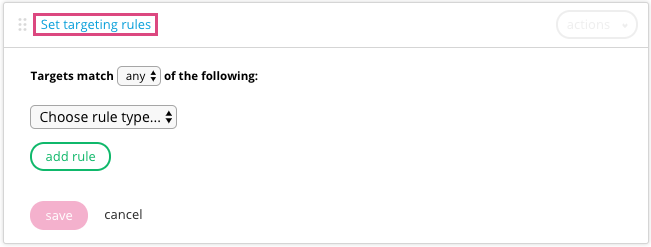
The following table outlines the criteria, conditions and accepted values for contextual targeting rules.
For a list of behavioral rules that let you target email content with consumer behavior on your website or based on content block activity.
The default time zone for when a consumer cannot be geolocated is -0500. This applies to time-based targeting rules including Date, Day of week, Time of day and Time zone.
| Criteria | Conditions available | Accepted values |
|---|---|---|
| Always | [not applicable] | The selected content always displays. |
| Date | is before | Date, time and timezone (select from the calendar) |
| is after | Date, time and timezone (select from the calendar) | |
| is between | Range of two dates, times and timezones (selected from the calendar) | |
| Day of week | is | Day |
| is not | Day | |
| Device | is | One of the following devices:
Note: The desktop experience displays for tablets.
|
| is not | One of the following devices:
Note: The desktop experience displays for tablets.
|
|
| user-agent contains | String value that matches any part of the user agent string (e.g., to target specifically to iPhone operating systems, enter iPhone OS). | |
| Language | is |
One of the following languages:
|
| Location | is | Country, region, city (optional) |
| is not | Country, region, city (optional) | |
| is unknown | N/A | |
| Mobile Carrier | is | One of the following carriers:
|
| contains | One of the following carriers:
|
|
|
Query param String values are case-sensitive. |
is | String value for the parameter |
| is not | String value for the parameter | |
| greater than | Numeric value for the parameter | |
| less than | Numeric value for the parameter | |
| contains |
String value for the parameter Must contain part of or all of the value. |
|
| doesn't contain | String value for the parameter | |
| does not exist | N/A | |
| Random | Percentage of users who will randomly be served the creative from 5% - 100% | |
| Temperature | is less than |
Numeric value for a temperature in degrees Fahrenheit or Celsius |
| is greater than | Numeric value for a temperature in degrees Fahrenheit or Celsius | |
| Time of day | is between | Range of two hours during a day, timezone |
| is before | Hour of the day, timezone | |
| is after | Hour of the day, timezone | |
| Time zone | is | Time zone |
| is not | Time zone | |
| Weather | is | One of the following weather conditions:
Note: Additional weather targeting capabilities are available via custom development. For more information, contact your Client Experience team.
|
| is not | One of the following weather conditions:
Note: Additional custom weather targeting capabilities are available. For more information, contact your Client Experience team.
|
About rules
With Movable Ink, engage customers with dynamic content that's targeted to their context the moment the email is opened. Personalize an email by setting rules to display content for various context.
If a set of rules for a target is met, then the corresponding content displays. This lets you set a variety of content in one email template but target specific content to each recipient. The set of rules for each target is checked individually, starting with the first target, until a match is found. Once a match is found, the corresponding image displays; if no match is found, the default content displays. For step-by-step instructions on adding rules, refer to Set targeting rules.